Widget Operations
Adding Widget
1) Click on the Add widget button

2) A dialog box will be prompted to select which widget the user wants to add to their dashboard.
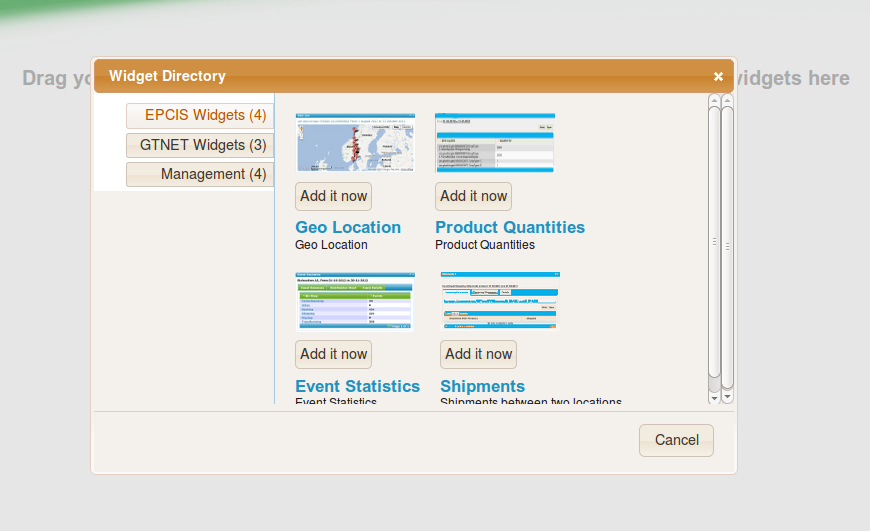
3) On selection of the widget to add, it will be added on the dashboard and the dialog box will close.
Widget Full Screen / Restore
Minimizing Widget
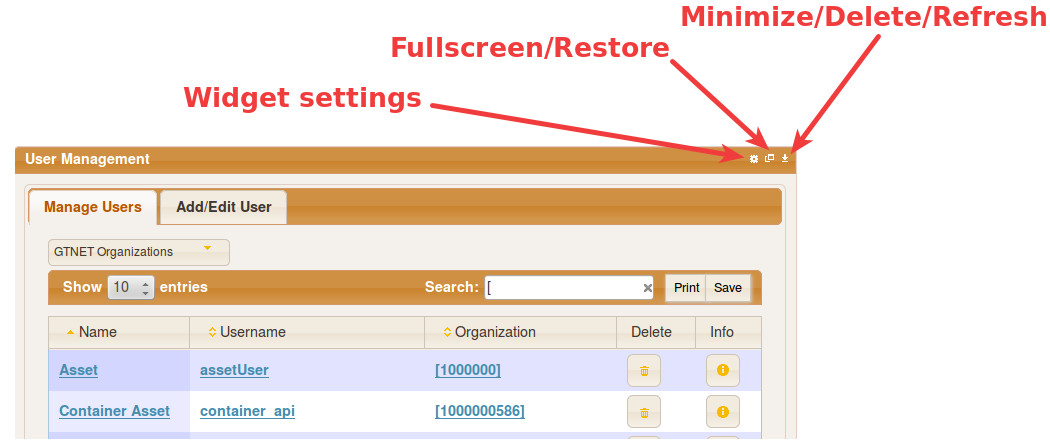
1) To the top-right corner of the widget, click on the arrow facing downwards. A menu is displayed with the options Minimize, Delete, Edit, Refresh
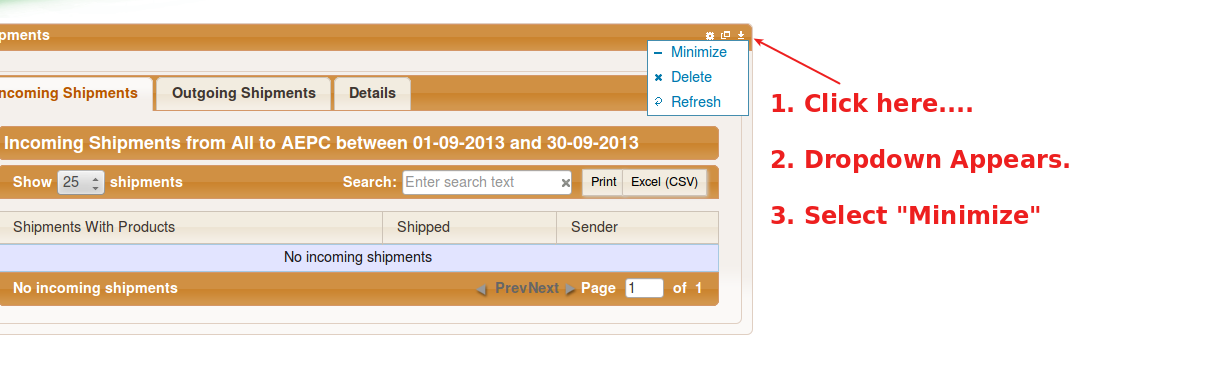
2) Click on Minimize. The widget interface is reduced/minimized
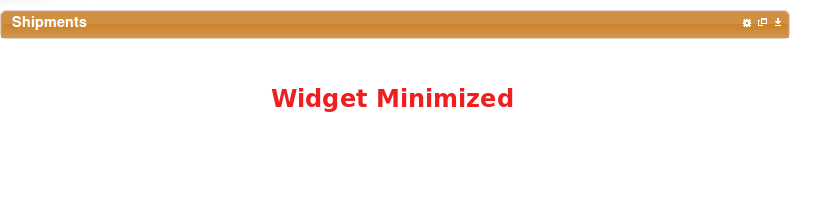
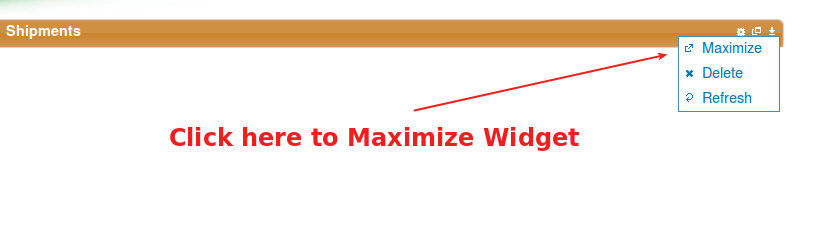
3) The same steps are used to Maximize the Widget
Deleting Widget
1) To the top-right corner of the widget, click on the arrow facing downwards. A menu is displayed with the options Minimize, Delete, Edit, Refresh
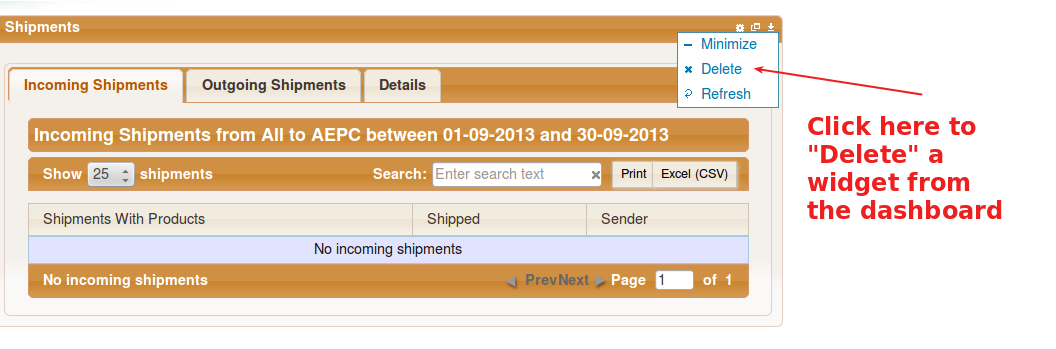
2) Click on Delete. A confirmation box is loaded asking the user to confirm the operation.
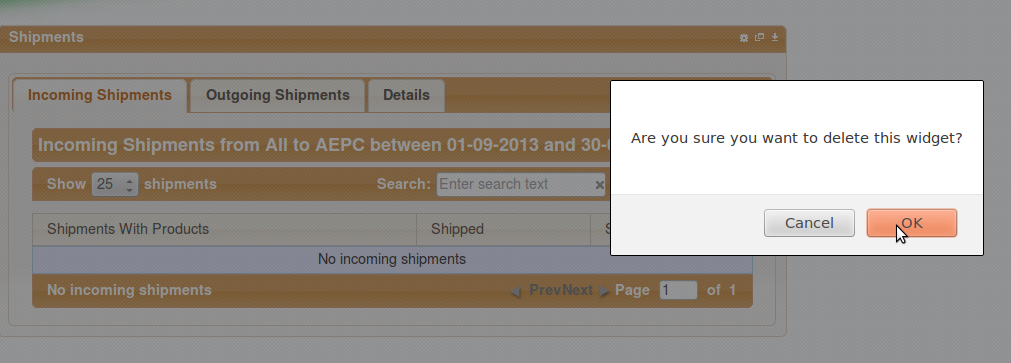
3) Clicking on OK removes the widget from the DashBoard. Clicking Cancel aborts the operation.
Refreshing Widget
1) To the top-right corner of the widget, click on the arrow facing downwards. A menu is displayed with the options Minimize, Delete, Edit, Refresh
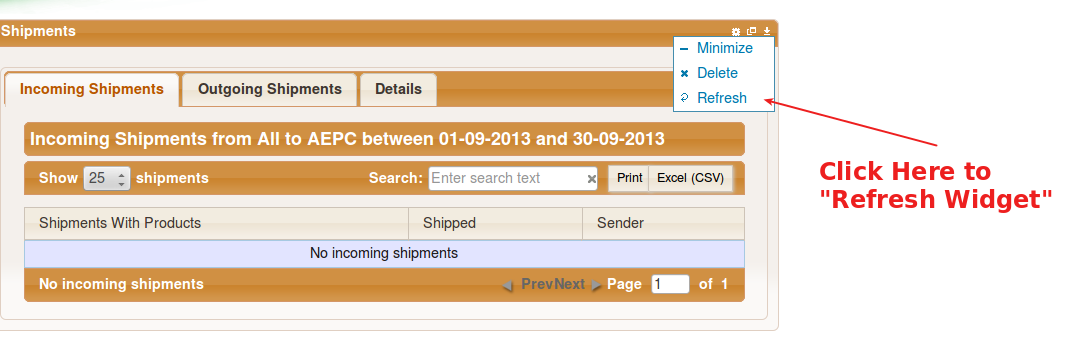
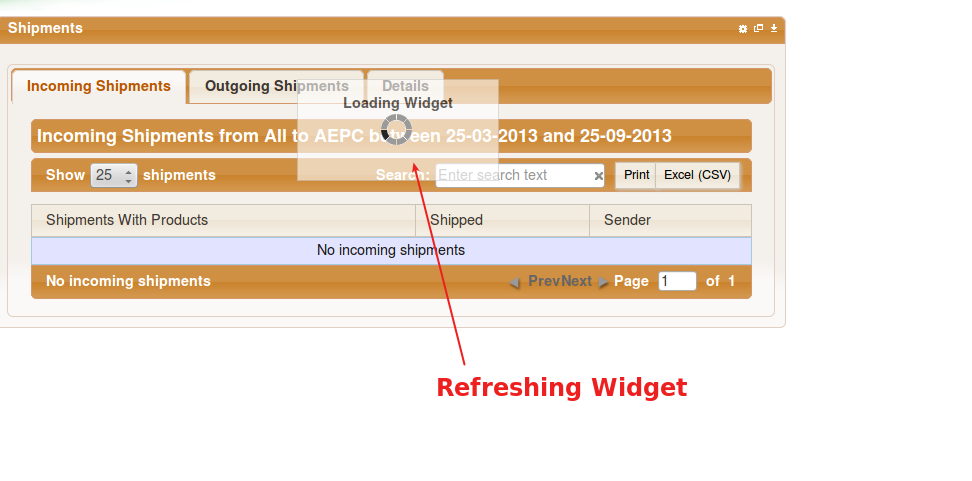
2) Click on Refresh. This reloads the content on the widget.
 \
\
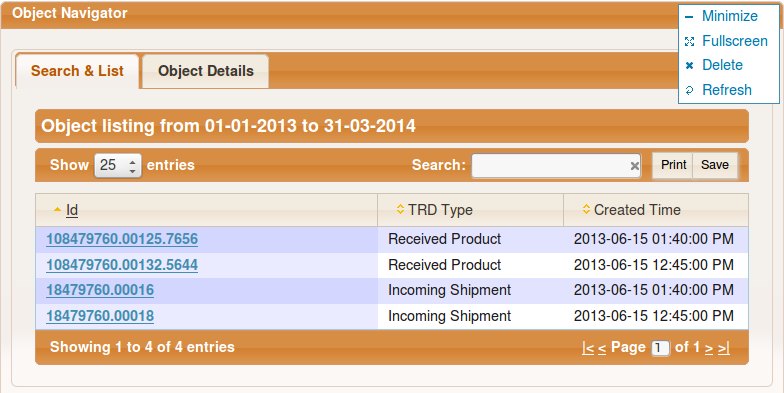
Widget Full Screen
To make the widget cover the whole screen, select Fullscreen from the widget menu.
Printing widget content
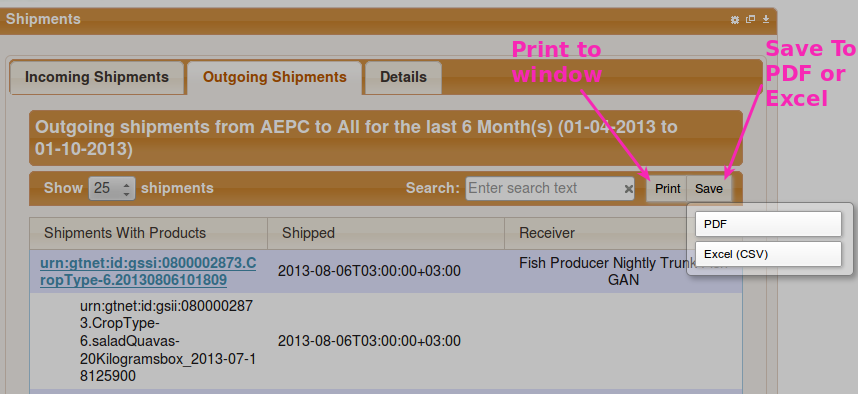
(1) Printing to Window
Click on the Print button on any widget, you will be presented with a full screen view of the table which you print using your browsers' print functionality.
(2) Save to PDF, Excel
Click on the Save button on any widget, a drop down appears with the options PDF and Excel (CSV).
Please Note
If the printout from a widget does not contain all columns, consider changing the orientation of the page to Landscape instead of Portrait.
The Spinner
The spinner, as shown below, indicates activity in the background, such as fetching data, loading a widget or refreshing a widget.

Widget Errors
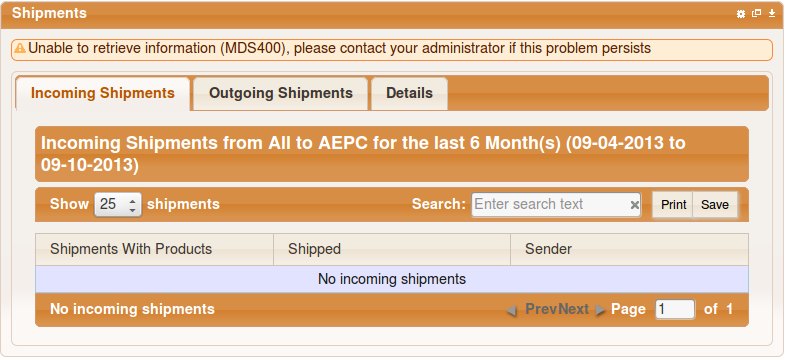
In the event you are presented with a message similar to the ones shown below, please repeat the action you were performing on the widget. If the problem persists, contact your administrator.