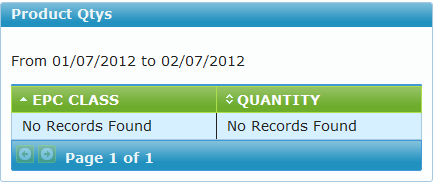
Product Quantities Widget
This widget is meant to display the top 10 products created whose QuantityEvents are the greatest/highest in value.
Setting Parameters
1) To the top-right corner of the widget, click on the arrow facing downwards. A menu is displayed with the options Minimize, Delete, Edit, Refresh
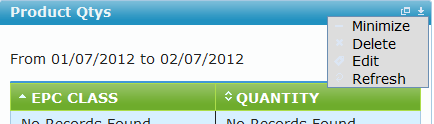
2) Click on Edit. A window is loaded on the widget where some parameters can be edited:
a) Title : Edits the title displayed on the widget
b) Range Type: Selects whether you want to use i.e
- Static date type : The date you specify on the date from / to will be used.
- Dynamic date type: The date you select using the From the last drop down will be used e.g 2 week(s) will show shipment sent / received in the last two weeks and the dates shown on the date from / to, will be ignored.
c) Date From & Date To : These specify the date range for which the records lying between will be displayed in the widget results
d) Display _ Records : Specifies the number of records to be displayed
Note
Use the Restore Default Settings button to restore default widget settings
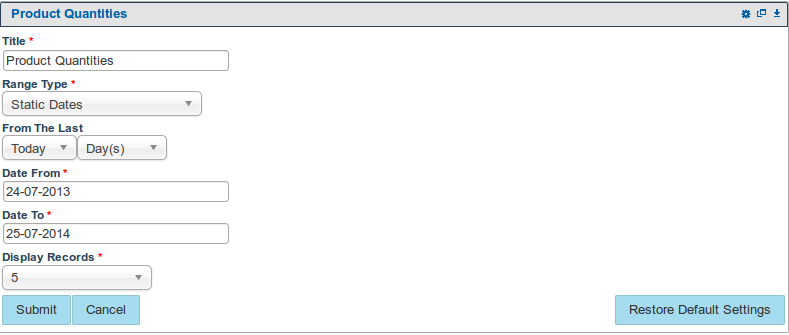
3) When done editing, click on Submit. Essentially the widget is reloaded and now displays the results based on the parameters that were entered.
4) If the search did not find any results, the widget is loaded informing the user of this: