
Geo Coordinates Events Widget
This widget enables you to view the locations where an event happened to a product or item, on a Google map as shown below
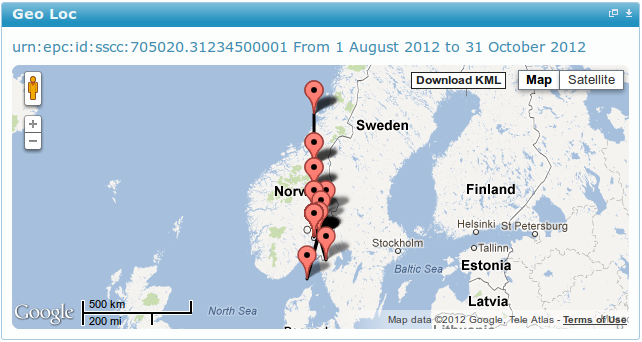
You can also view details such as event time, disposition, bizStep and bizLocation bt clicking on the markers as shown below
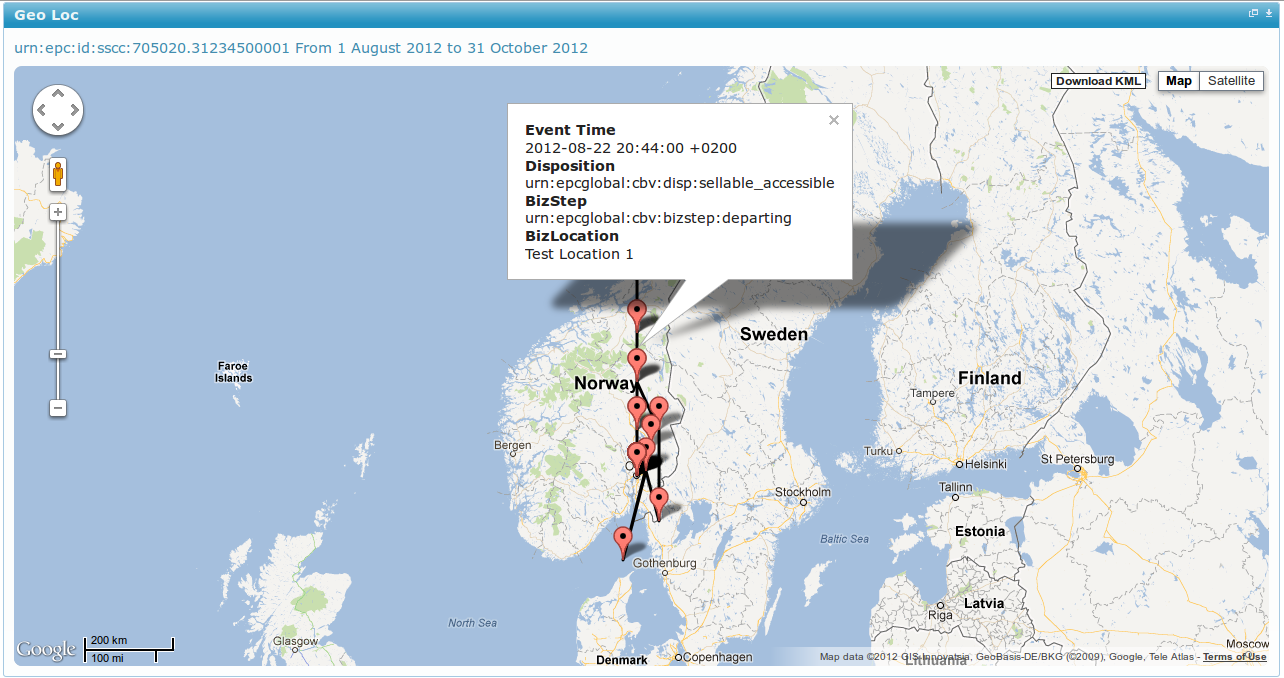
You can also toggle between Map and Satellite map types and even street view, by clicking on the icon on the top left.
Clicking on edit, will produce a form like the one shown below.
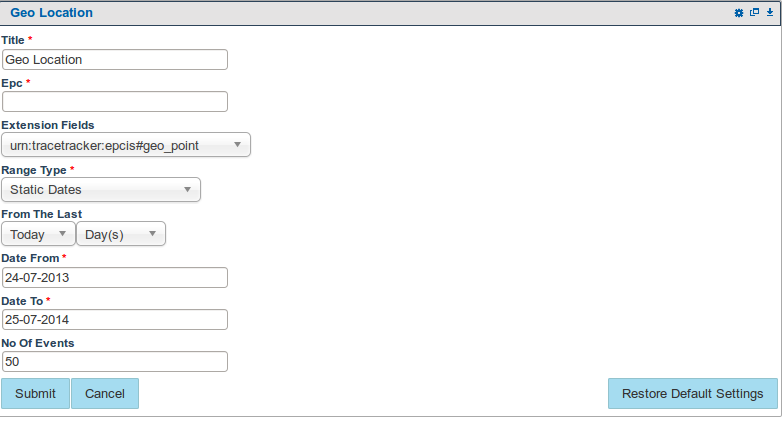
EPC: Holds the (Electronic Product Code) or Identifier of the item, product you want to view events of
Range Type: Selects whether you want to use i.e
- Static date type : The date you specify on the date from / to will be used.
- Dynamic date type: The date you select using the From the last drop down will be used e.g 2 week(s) will show shipment sent / received in the last two weeks and the dates shown on the date from / to, will be ignored.
Date From / Date To: The date range of the events you want to view.
Number of Events: The number of events you want to view
Co-ordinates Extension: The name of the extension that contains Geo coordinates in the TIX
Note
- Use the Restore Default Settings button to restore default widget settings

You will encounter a message like the one shown above if you have not entered an epc, to do so, select edit from the widget menu and enter an epc

When you encounter a message like the one above, it means the epc you have entered has no Geo coordinates data i.e. the Geo coordinates extension you have selected is not present.
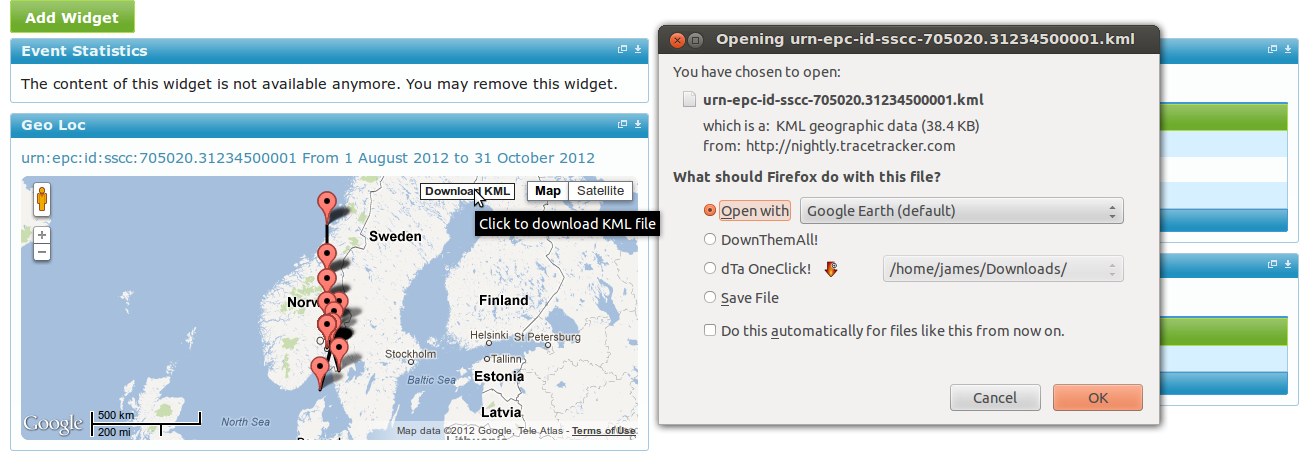
When you click the Download KML button on the map, you will be prompted to save or open the KML file. You require google earth to view the file, if you don't have it already, please download and install it.