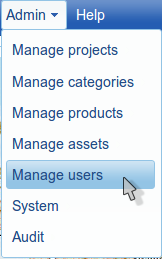
User Management in TraceTracker Asset is delegated to the User Management Portal Story. Click on 'Manage Users' as illustrated below.
This redirects you to the User Management widget in Story. Important to note is that you need to have SUPER_ADMIN or TT_ADMIN privileges to manage users. The users accessible to you need to belong to your organization.
If your organization(as a SUPER_ADMIN) has DSB and USB and the organization is a DSB_OWNER then you will also see the users for the DSB and USB. For further details on User Management and other Story functions, please refer to the User Management Widget documentation.