When adding a customer logo to an Asset instance;
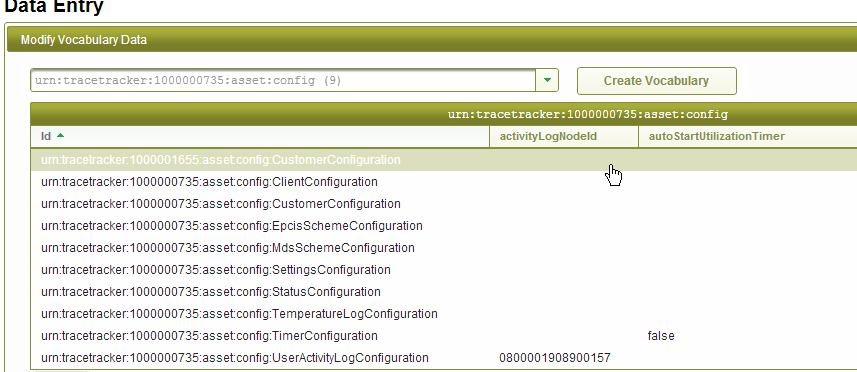
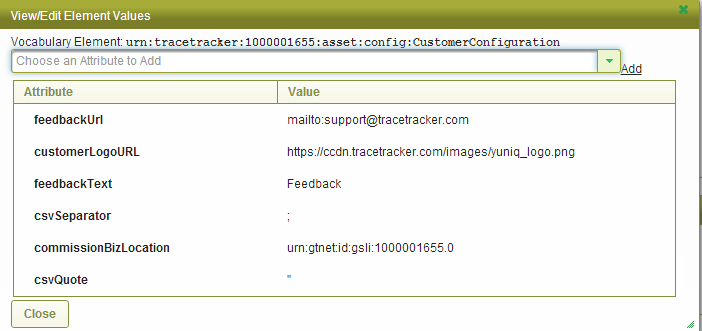
Ensure you have Admin rights Get the logo and upload it to https://ccdn.tracetracker.com/fileuploader Copy link of uploaded image Login to the client MDS. (Check https://test-asset3.tracetracker.com/asset/admin/install.jsf to get MDS link) Navigate to Data Entry and Select the Asset Config (see image below) Select the customerconfiguration vocabulary, It will load for you the following image
7. Paste the customer logo location link on the CustomerLogoURL row under Value. Press the close button and press save data entry option
8. Refresh Asset to see changes.
Manage Users
Change Password