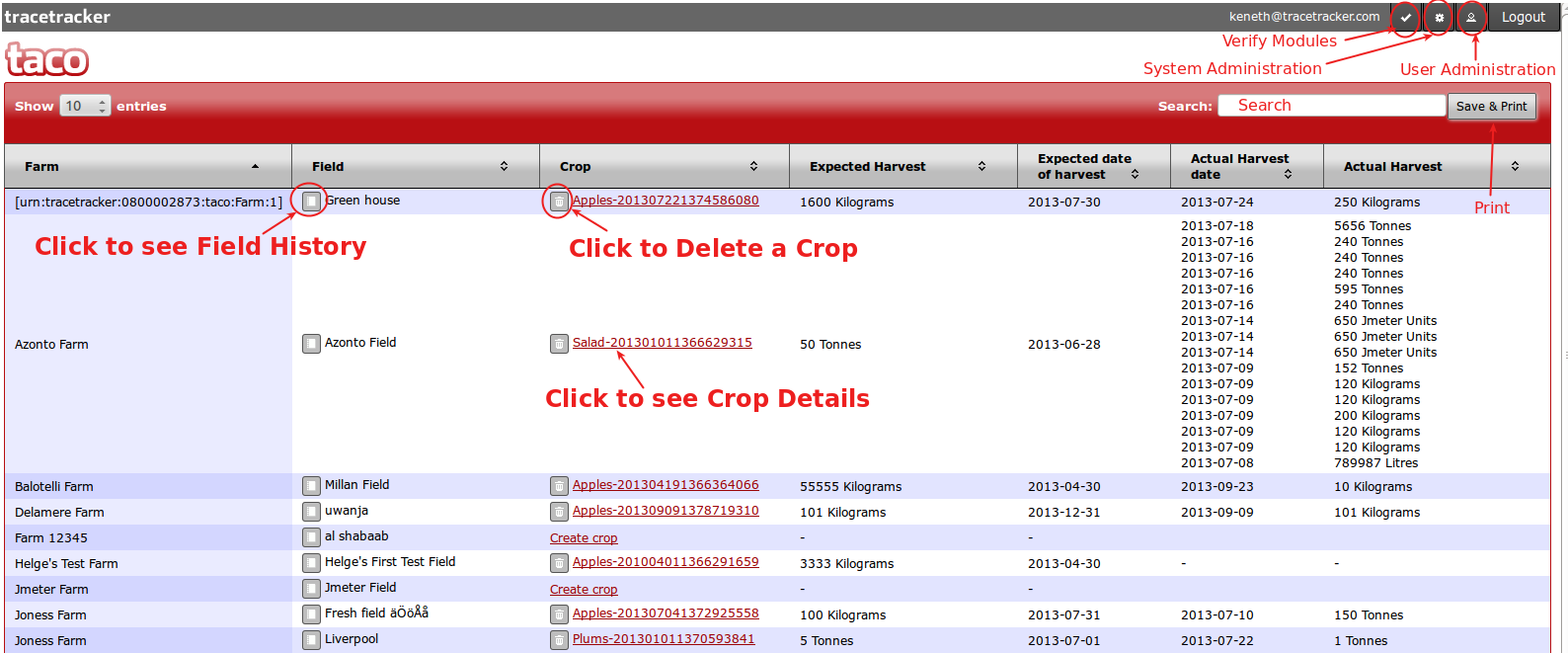
1) The landing page is the First page the User sees after successfully logging into the system.Its presents different links for accessing other pages,which include.
i) Link to access the particulars of a crop
ii)Link to the administration page.
iii) Link to show the system module requirements.
iv) Search bar (to search for a crop)
v) Print button to print the current records.
As seen in the screenshot below:
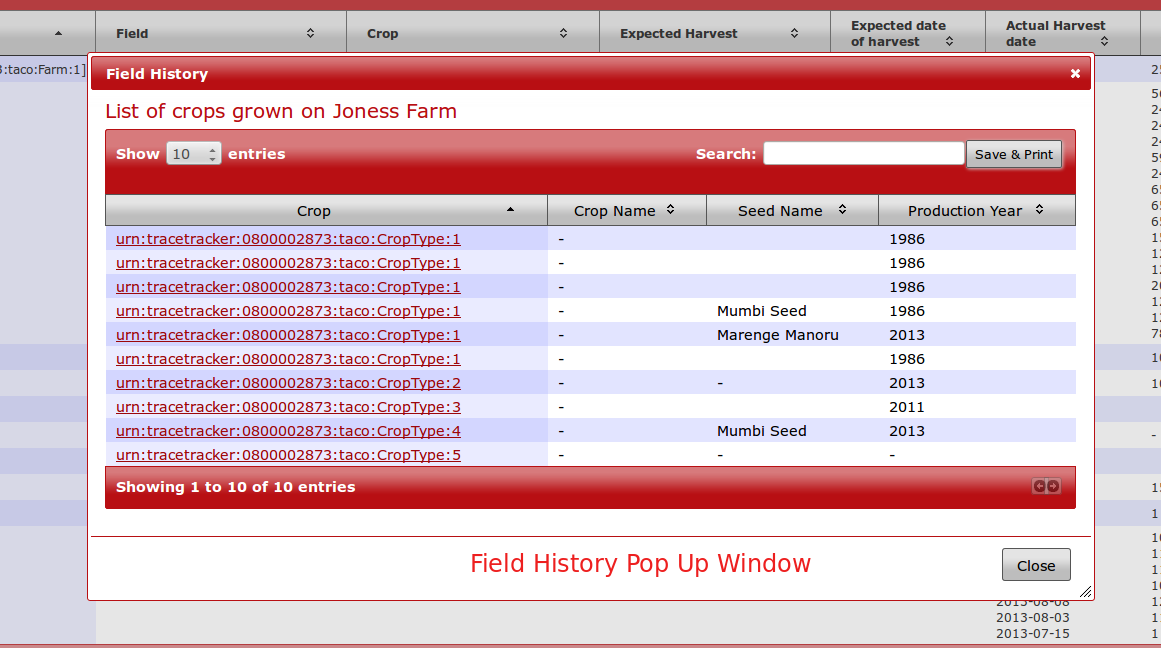
2. View Field History
On clicking the "Field History" button as shown above, the following screen appears with Field History: