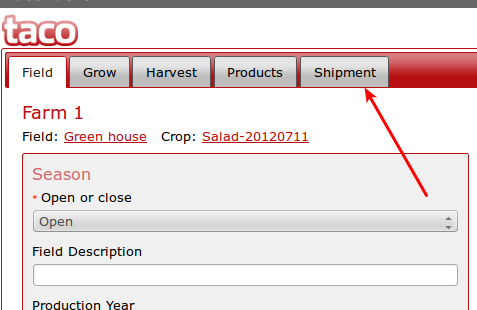
1) After login, click on the crop for which you want to create a shipment.
2) Click on the "Shipment" tab
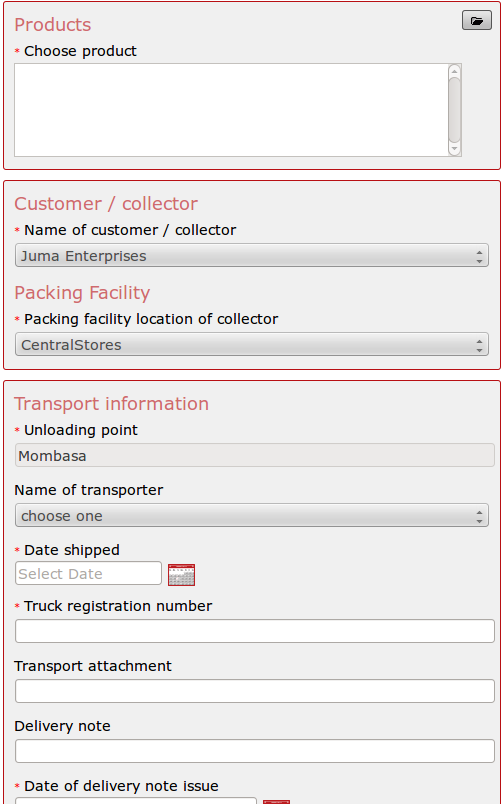
3) A page is loaded where shipment details are to be filled. Fill in the details as required.
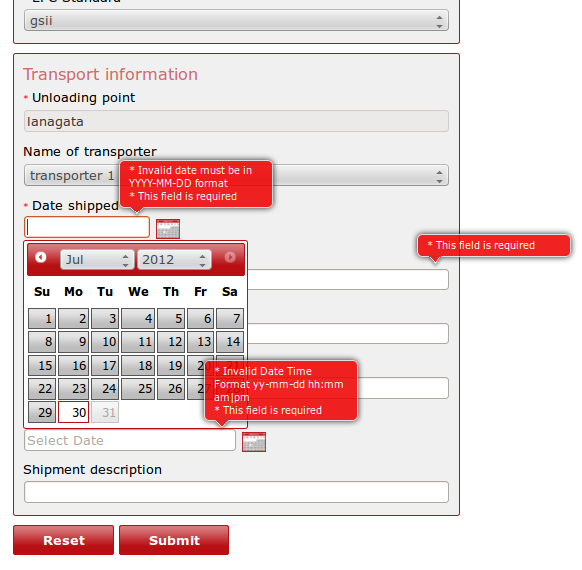
4) In case some fields are not filled out or wrong data formats have been entered, the user is notified of these by use of red pop-up balloons. The user should thus fill in all required details and in the correct formats.
5) When done filling in the details, click on the "Submit" button. This saves the details. A green banner is displayed informing the user that data has been successfully saved.