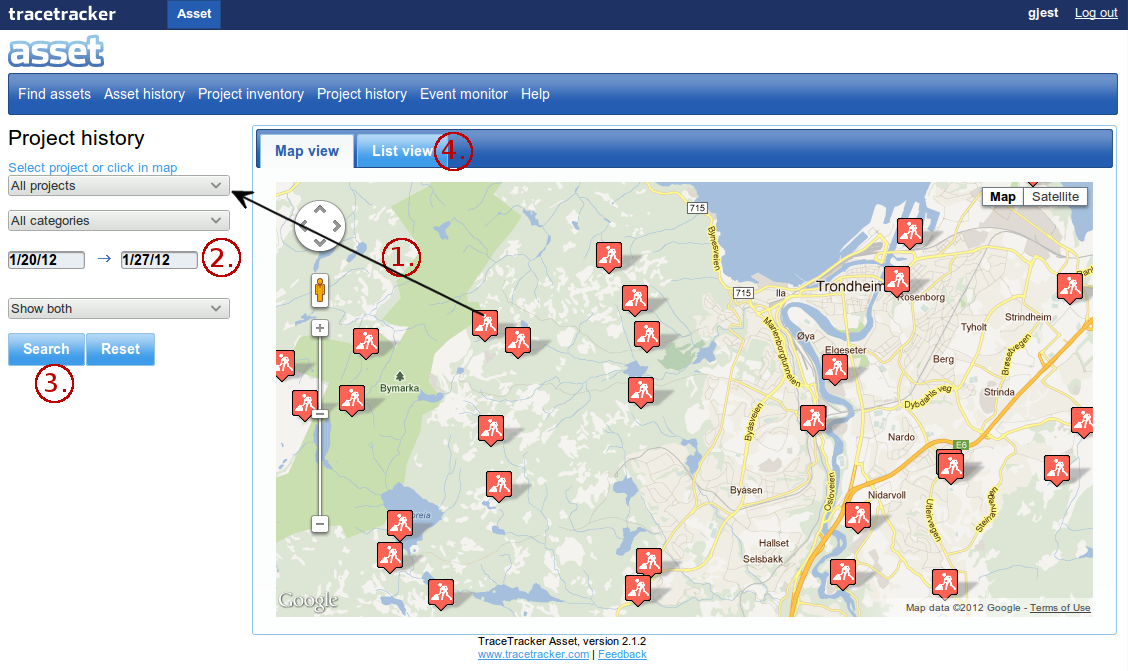
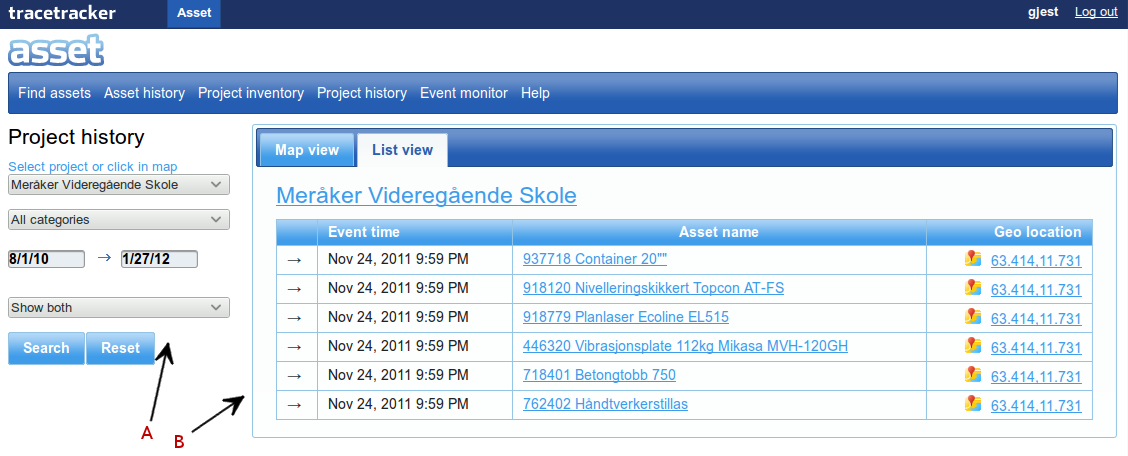
The project history gives a report of the history of the project. Do a search on the search form indicated by “A” then the results are displayed as illustrated on the image below.
Filter the search results by; the parameters are in section “A”;
Either select the project to filter on the map or in the dropdown menu.
Select a category. Choose the dates range from which the results should be. Select whether you want to show either movements going into the container, out of the container or both types.
Click on “Search” to search for the projects history and provide results or “Reset” to return the page to its original state.
The results will be shown in the list view.
The results will be displayed in list view (section “B” on the second image). It shows a table with the following columns:
Event time.
Asset name.
Geo Location.
The results are displayed as illustrated by “B”. The reports show time, the assets name and its location of the asset.