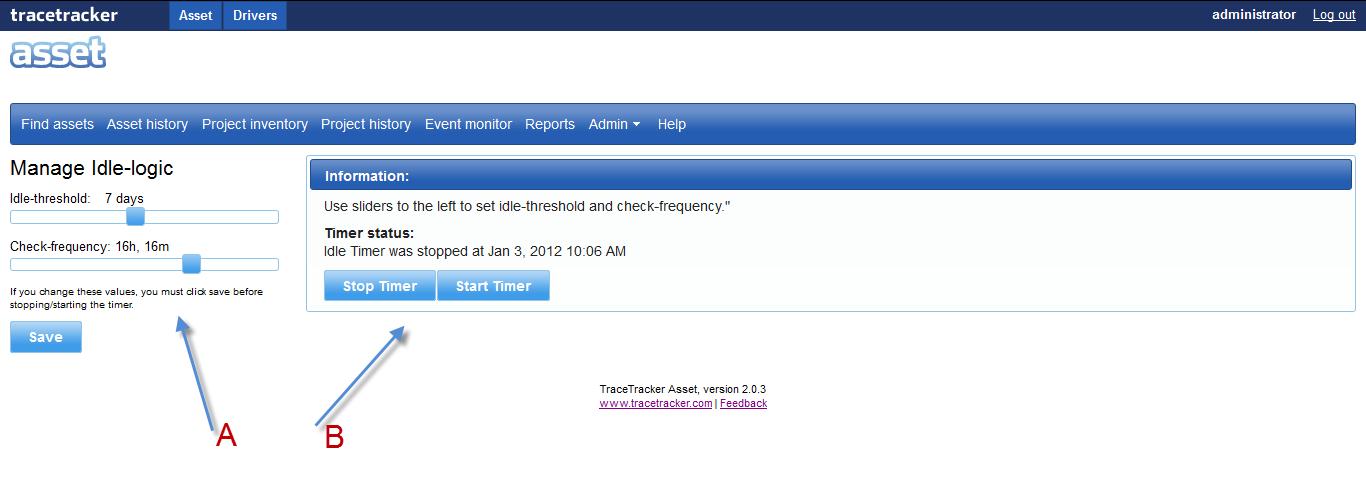
The idle-logic page is use to configure the task of when unused tools (asset/container/vehicle) should be made idle. When started, it will update the status of all tools that has not changed since some time to “IDLE”. On the “Manage Idle-Logic” form “A” move the slider’s from left to right of either the “idle-threshold” and the “Check-Frequency” and click on save.
In the right panel you can start/stop timer, depending on whether you need this automatic checking functionality or not.