- To do a grow process select the Field on the landing page or create a crop on the field page
- Select the grow tab to go to the grow processing page
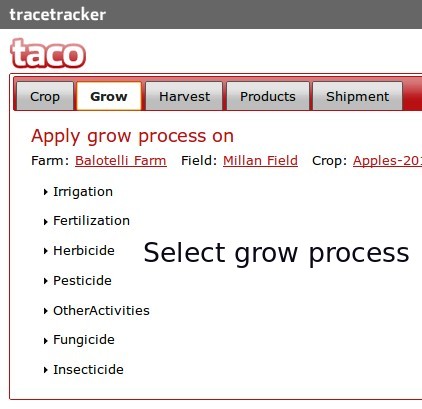
- Select the grow process that you would like to record by clicking on the accordion title eg Fertilization,Herbicide,Irrigation,Pesticide etc.
- The page will slide open with a form that you need to populate
- fill in the form details making sure that the mandatory fields with the required mark are populated
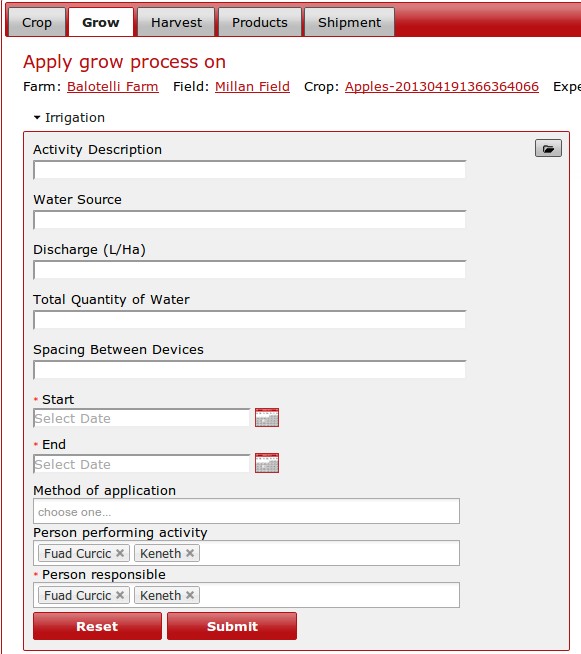
- After populating all the fields click on the submit button to process the form
- if you need to clear the form to start again, click on the reset button and fill in the details again.
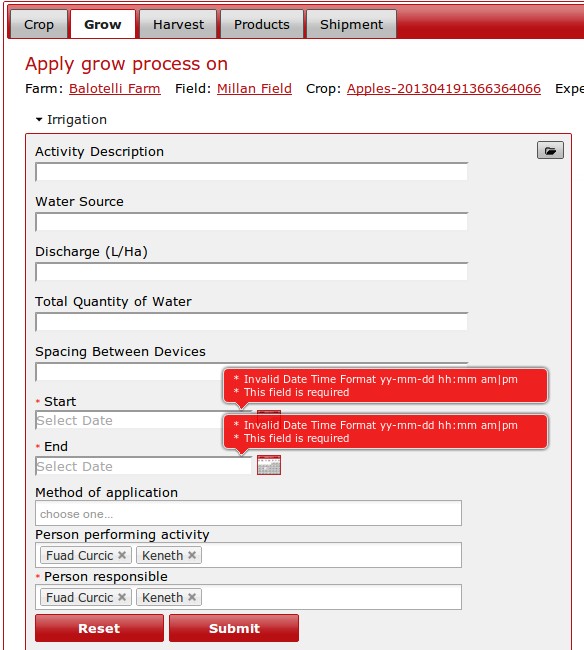
- if there is any validation errors on the page, a balloon pop up with be displayed for you to correct
- once the errors have been corrected, click on the submit button again to process the form
- if there are no errors and the process has been successful, a message will pop up showing the grow process was successful and the data was saved.
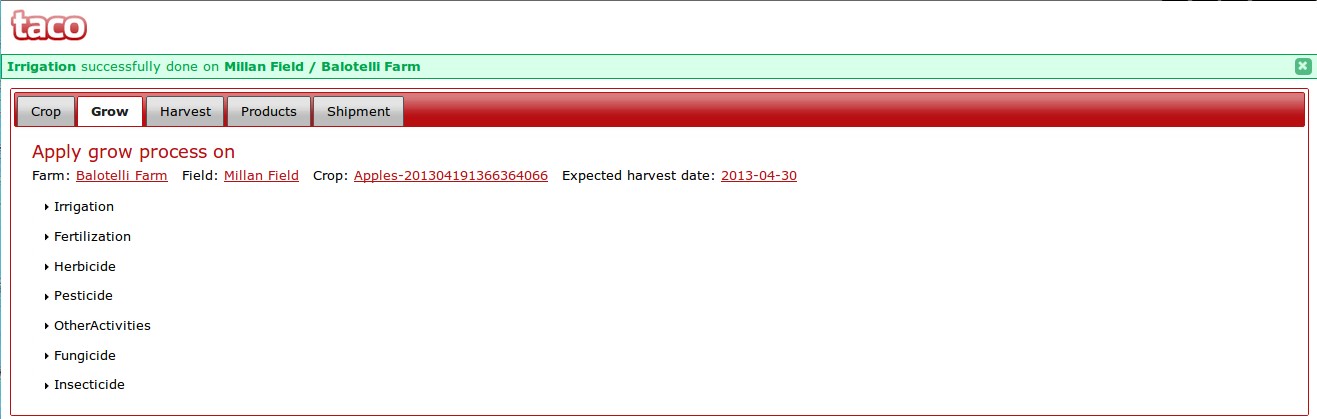
- to do another grow process, follow the instructions from the top.
