Adding items to a category
To add a cooling facility, click on the Add Cooling Facility button.
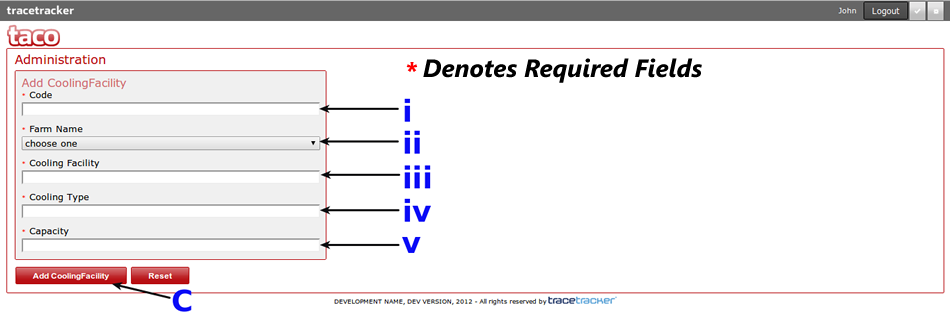
Once you click the Add cooling facility button, you will be presented with a form similar to the one displayed above where you will be required to fill in all the fields - i to v - and click on the "Add Cooling Facility" button - C - to save the new cooperative. To clear the form, click on the Reset button
The Code Field ( The first text field) should be alphanumeric and should not contain any spaces e.g CO3246
The steps followed when adding a new cooling facility are the same for all other categories.
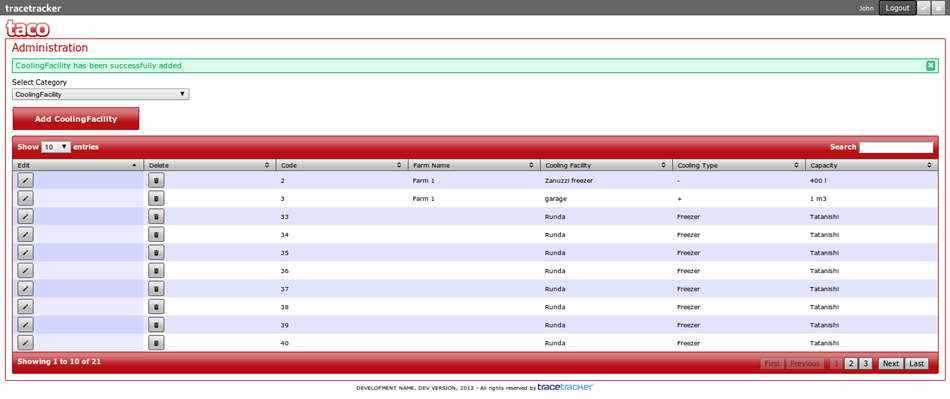
Once the cooling facility has been saved, a success message will be displayed and you will be able to view and add more categories. Note that the records are arranged by Code field. This applies to all categories.
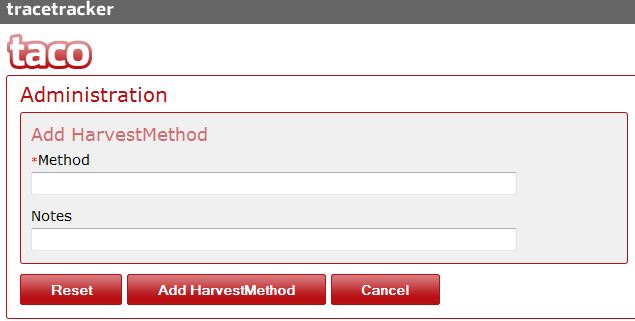
To add a Harvest Method, click on the Add Harvest Method Button. The screen below will be loaded where you can fill in the Method and Notes. The same applies to Irrigation Method and Pesticide Method. When done click on the Add xxx Method button. The Reset button clears the form. The Cancel button will take the user back to the listing page (previous).