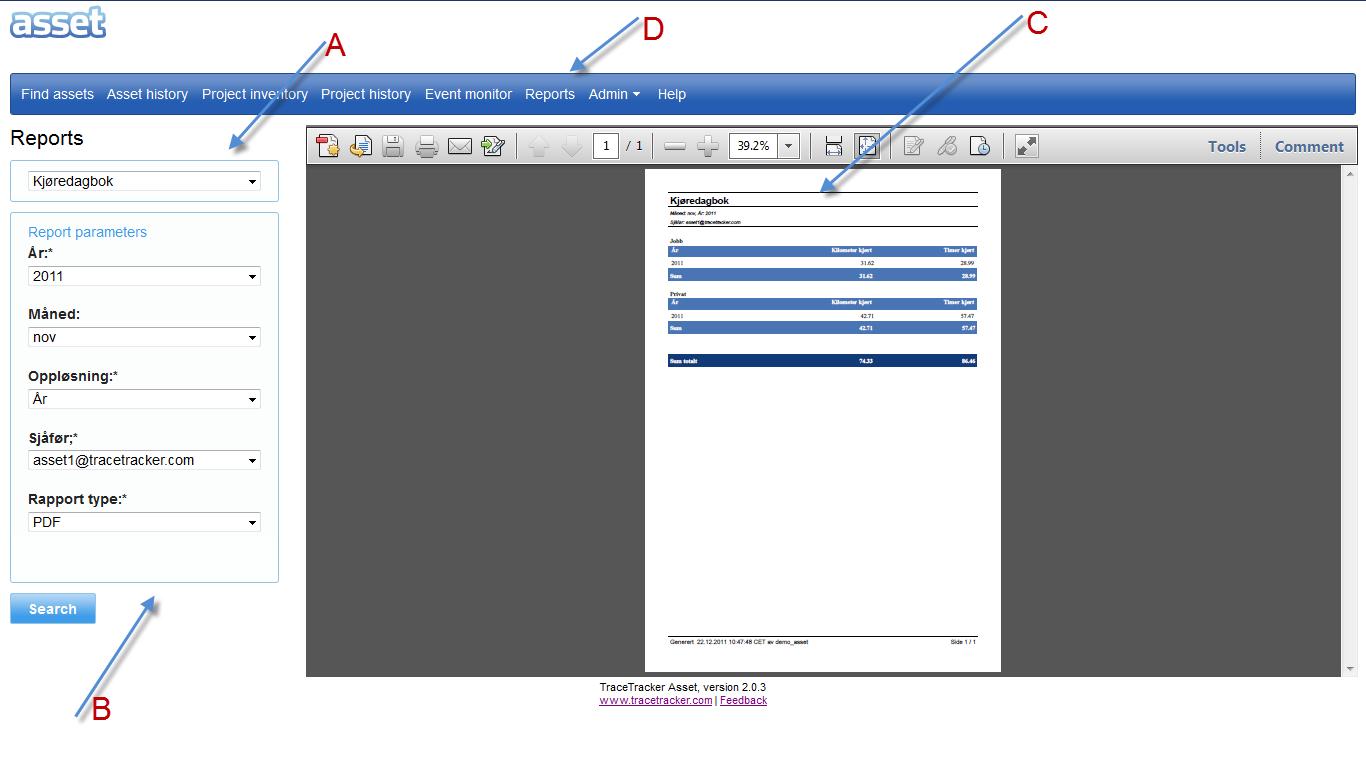
a. On the reports page when you click the reports tab “D” the first thing you see is the section “A”. b. On section “A” select a report from the drop down and section “B” i.e. the report parameters is generated. c. When the report parameters are set, and the “Search” button is pressed, a report is generated as illustrated on section “C”. d. The report can be either either in HTML or PDF format.